A request goes out by email. The cost is somewhere in the thread, if it is there at all.
Koldheim · Sapphire
Asset Requisitions
OperationsRequests, approvals, stock and budget in one process.
A request priced from live stock, routed to the right approvers by value, and charged to the right budget once it is signed off. Stock, approval and budget in one process rather than three systems.
Over R 500Head of department, then bursar
Whiteboard markers: short by 3Storeroom warned. Approval continues.
3
2
R500
18
Today
Most requisitions run on goodwill
It works until someone is on leave, a threshold is missed, or the auditor asks why.
01
02
Nobody is sure whether it needs one signature or two, so it goes to everyone.
03
Someone checks the storeroom by walking to it.
04
The budget is updated at month end, from memory and receipts.
The process
3 stagesThree stages, each a page your people work in
Stage 1 of 3
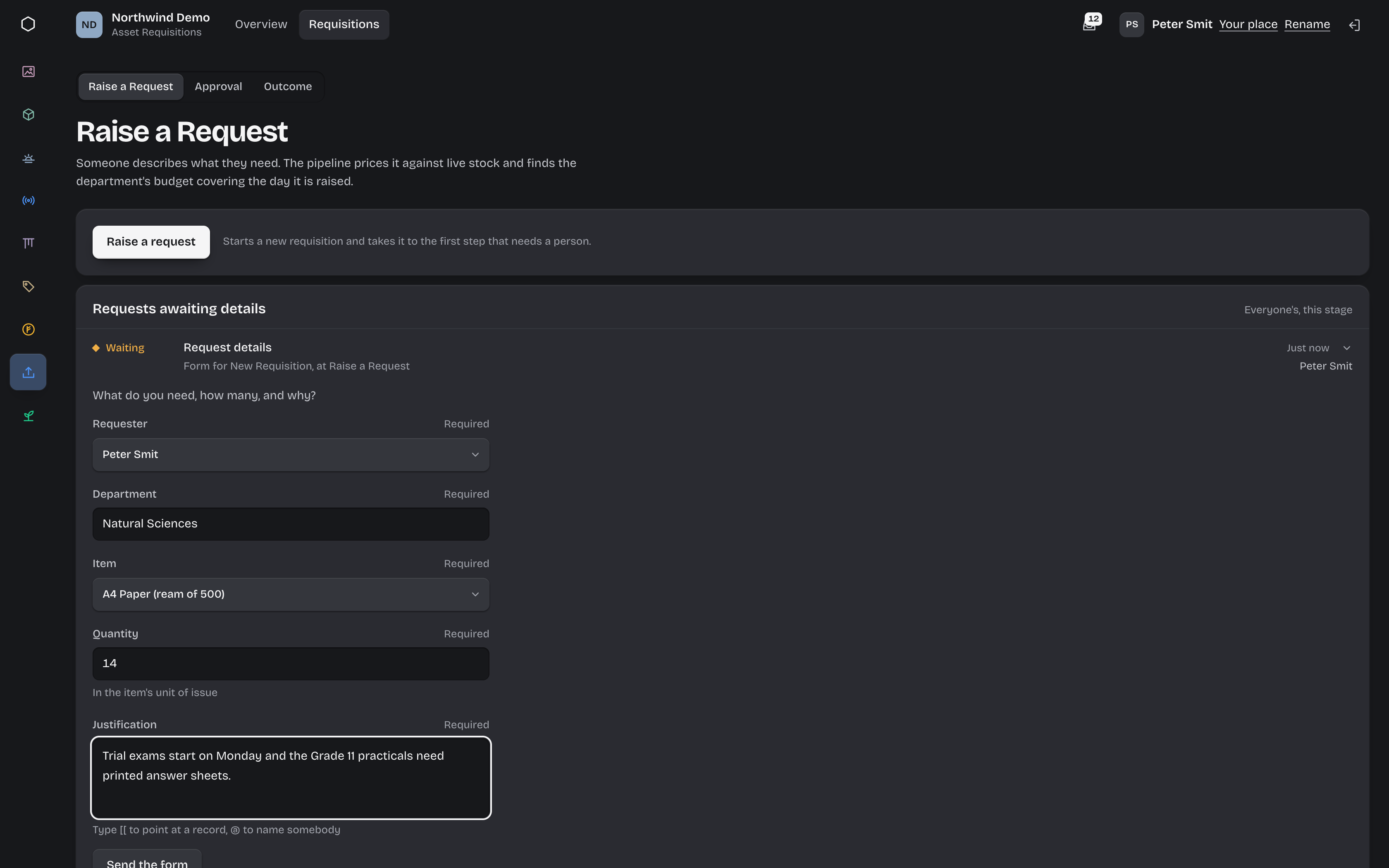
Raise a request
Anyone asks for what they need. The process does the looking up.
- The requester picks an item, a quantity and gives a reason.
- The request is priced from your live stock records.
- The department budget is read, ready for the approver.
- Stock is checked. If there is not enough, the storeroom is told the shortfall.
Stage 2 of 3
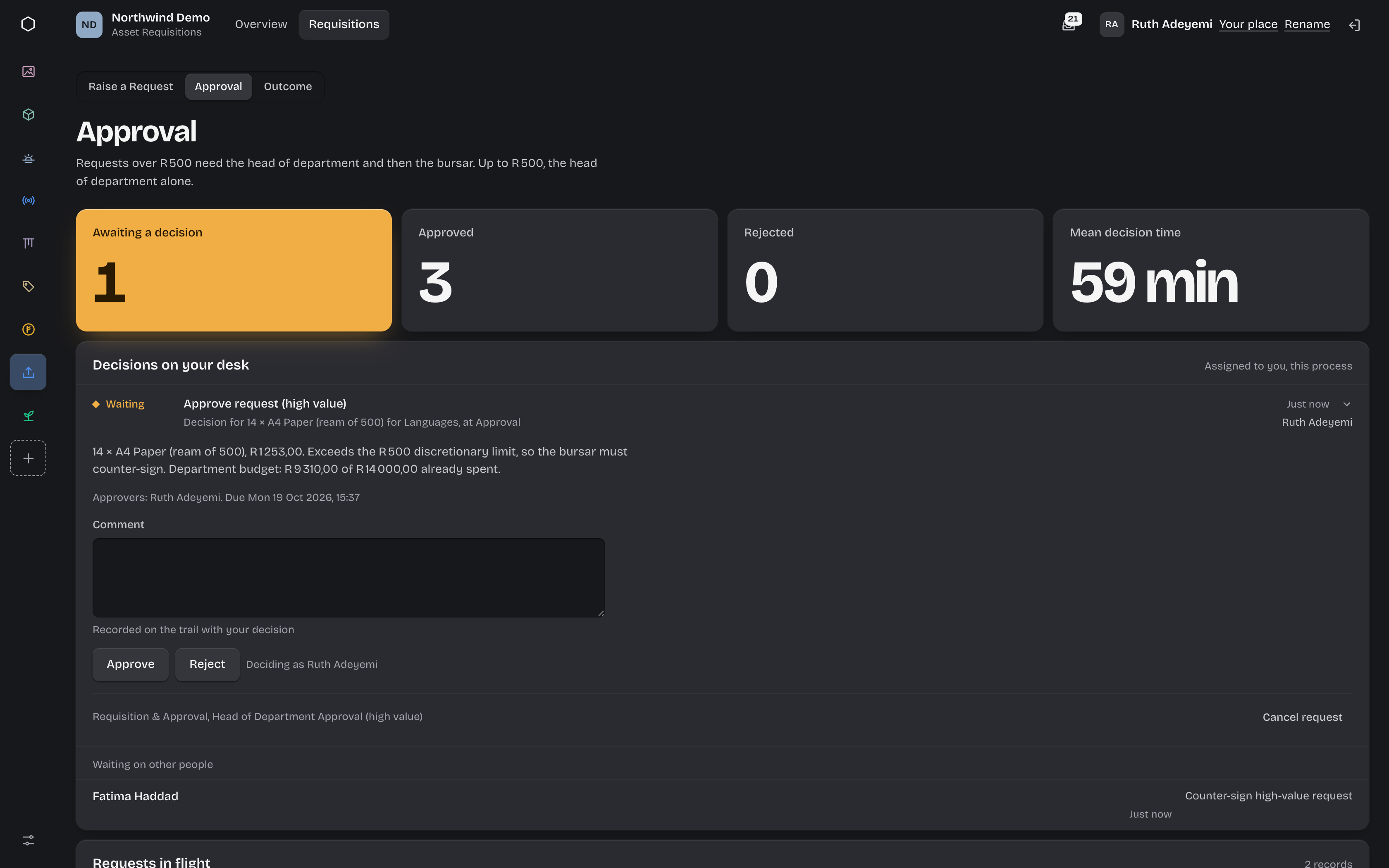
Approval
The request goes to the right people, in the right order, first time.
- Under your threshold, the head of department decides.
- Over it, the head of department and then the bursar.
- Each approver sees the cost and the budget position on their desk.
- Only the named approver can decide. A rejection needs a reason.
Stage 3 of 3
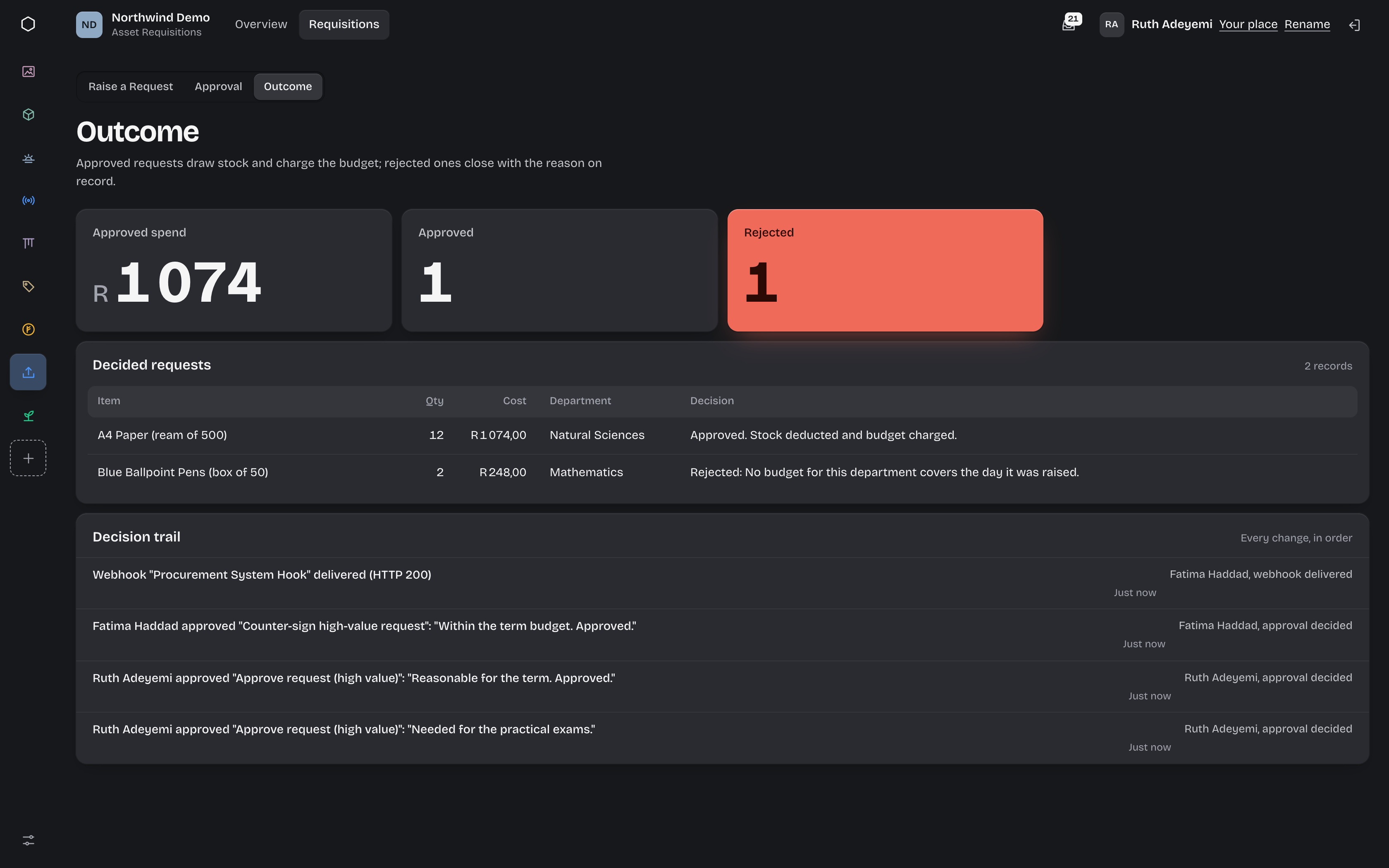
Outcome
Approved means done, not "now someone updates the spreadsheet".
- Stock is deducted and the department budget is charged.
- The requester is told, live, in the workspace.
- Your procurement or finance system can be sent the approved request.
- A rejection closes with its reason on the record.
Try the rule
Change the request. Watch the route change.
This is the routing from the example school process, running in your browser with its stock and budget figures. Set your own threshold to see where requests would go.
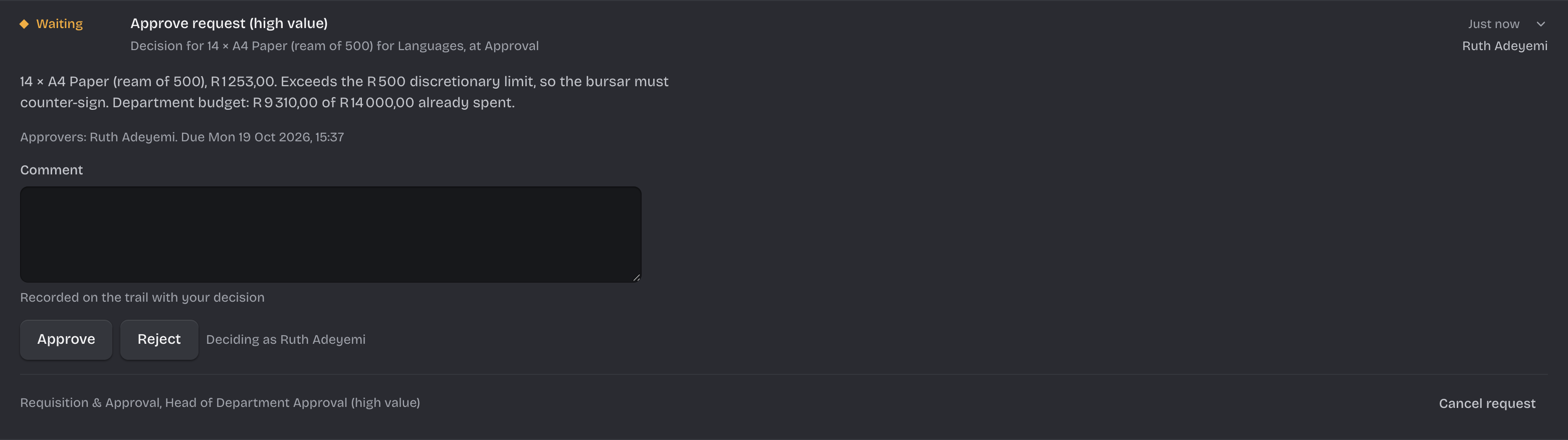
R 1 253,00Over R 500,00: two signatures needed; counter-signed by the bursar, stock deducted
- Request raised14 × A4 Paper (ream of 500) for Languages
- Priced from stock14 × R 89,50 = R 1 253,00
- Budget position readLanguages has spent R 9 310,00 of R 14 000,00.
- Stock check: enough240 on hand.
- Head of department (high value)Approves.
- The bursar counter-signsRequired because R 1 253,00 is over R 500,00.
- Stock deducted, budget chargedA4 Paper (ream of 500): 226 on hand after. Languages: R 10 563,00 spent.
- Requester told, procurement system notifiedApproved, and on the record.
Who does what
Everyone knows their part
01
Requesters
Ask in one short form, and see where their request is without chasing anyone.
02
Approvers
A desk of decisions with the cost and budget in front of them. Nothing arrives that is not theirs.
03
Finance
Counter-sign what is over the threshold. Budgets are charged as requests are approved.
04
Storeroom
Warned about shortfalls before anything is promised, and stock levels stay current.
See every request
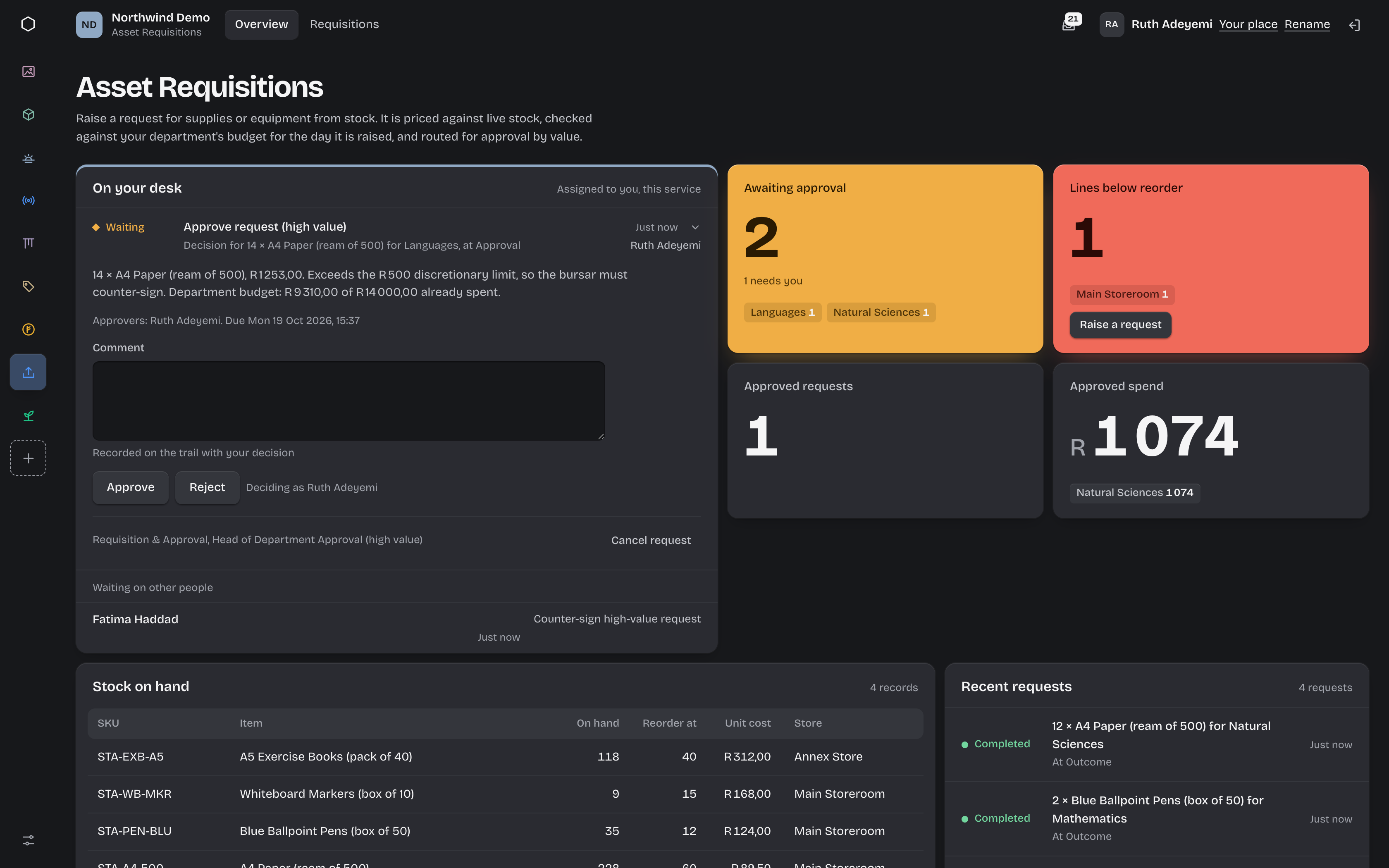
Know where everything is, and who it is waiting on.
- Awaiting, approved and rejected counts, live
- Mean time to an approval decision
- Every request names who it is waiting on
Rules that run themselves
Write the policy once. The process enforces it.
- A second signature over your threshold
- Only named approvers can decide
- Stock shortfalls flagged before approval
Evidence by default
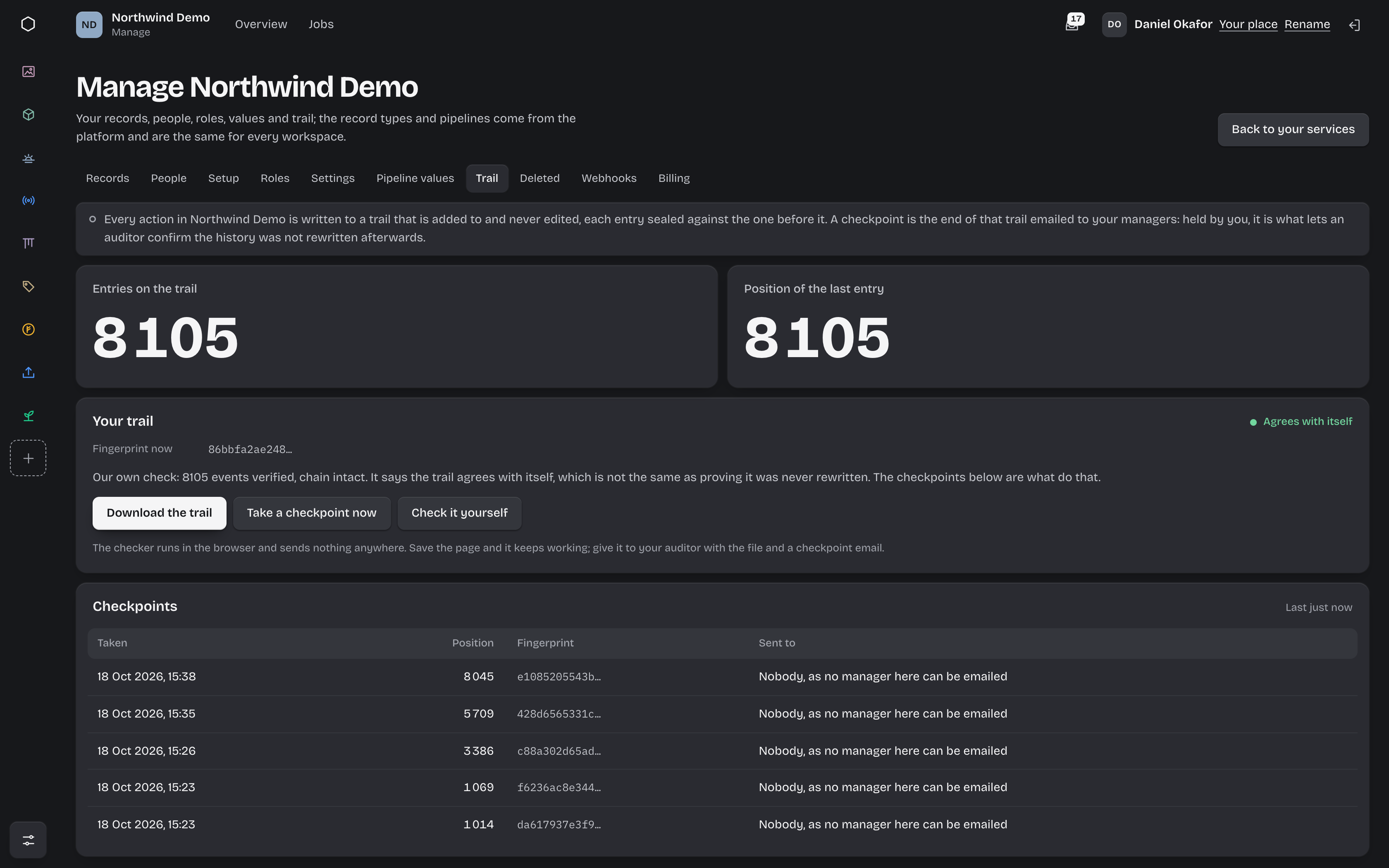
Every decision on the record.
- Every step and decision on an append-only trail
- Rejection reasons kept on the record
- Changes to the process itself are recorded too
Two minutes
One request, from asking to approved
A teacher asks for more than the discretionary limit. Watch it priced, routed to two approvers, charged, and written to the record.
Questions
7 answersWhat process owners ask first
Can we use our own threshold and approvers?
Yes. The threshold and the roles that approve are part of the process configuration for your organisation. The example here uses R500, a head of department and a bursar.
Can a request need more than two approvals?
Yes. Approvals are steps in the process, and a process can branch on any value it knows, such as cost or department, to add the approvals your policy needs.
Can someone approve their own request?
No. Whoever raised a request is left out of its approvals, even when they hold the approving role. If nobody else holds it, your workspace’s administrators are asked instead, and the approval says why.
What happens when there is not enough stock?
The storeroom is told the shortfall straight away, and the approval continues. Partial fulfilment becomes a known decision rather than a surprise at collection.
Does it stop a department going over budget?
The approver sees what has been allocated and spent before they decide, and approved requests are charged to the budget automatically. If your policy needs a hard stop, that is a rule in the process we configure with you.
Can it talk to our procurement or finance system?
Approved requests can be sent to another system as they happen, over a webhook.
How do people sign in?
Through your own identity provider over OpenID Connect. Microsoft Entra is documented. No passwords are stored.
Keep exploring
Where to next
Guides for Asset Requisitions
Step-by-step help for each task, by the part you play in it.
No spend without the right signatureHow thresholds and counter-signatures become a control.
How a process runsThe steps and rules behind this process, and how yours would be built.
Ready for the vendor reviewIsolation, sign-in and audit, in plain terms.