A balance changes only through movements. To give someone extra days, carry days into a new cycle, or correct a balance, add a movement. Never edit an existing one to change a total.
Steps
- Open Manage > Records and choose Leave Days under Record types.
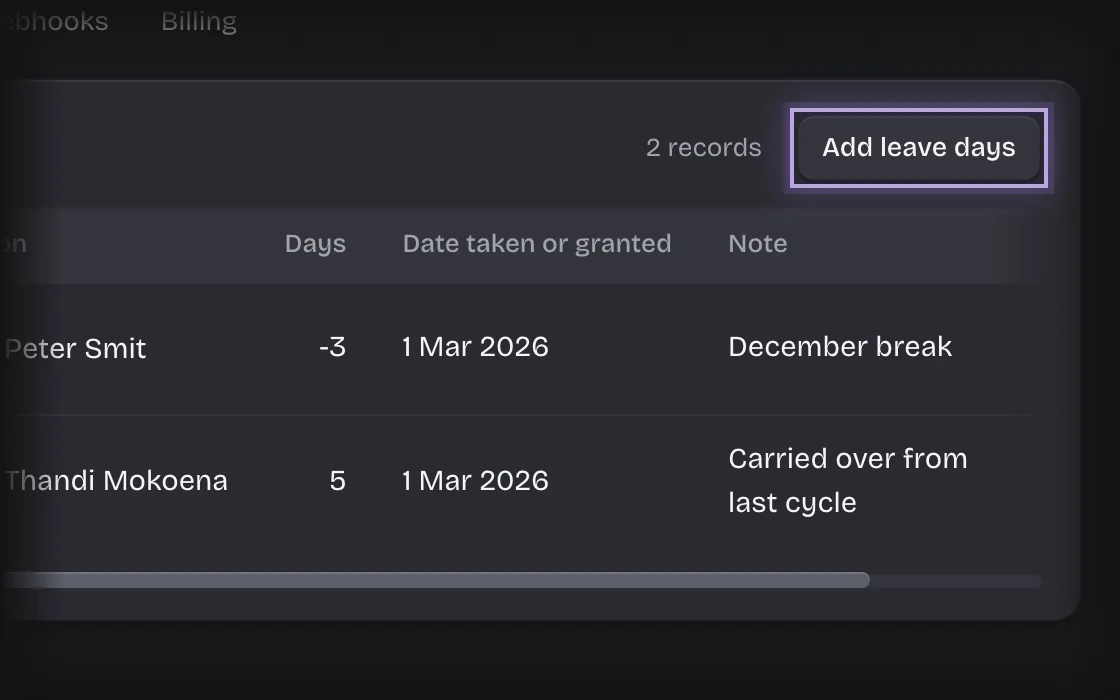
- Press Add leave days.
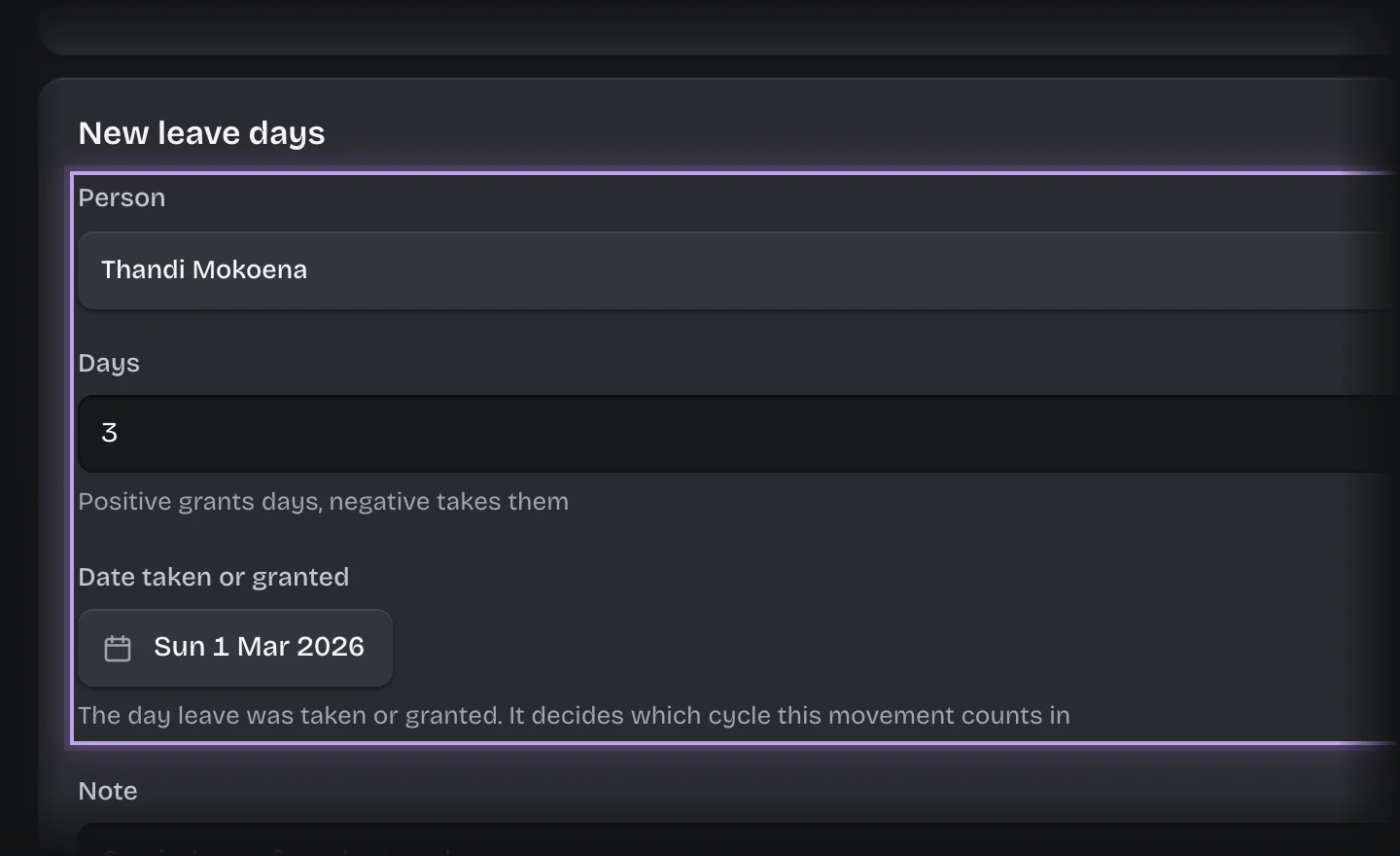
- Fill in:
- Person: who it is for.
- Days: a positive number grants days, a negative number takes them.
- Date taken or granted: a date inside the cycle it belongs to. For carry-over, a date in the new cycle.
- Note: why, for example Carried over from last cycle.
- Press Add leave days.
What you will see
The movement under Your leave movements for that person, and in Leave movements on the Leave Overview.
Common problems
- Carry-over is not worked out for you. Koldheim does not calculate what to carry; you decide and add the movement.
- A movement dated in an earlier cycle has no effect on the current balance.