Steps
- Open Manage > Billing.
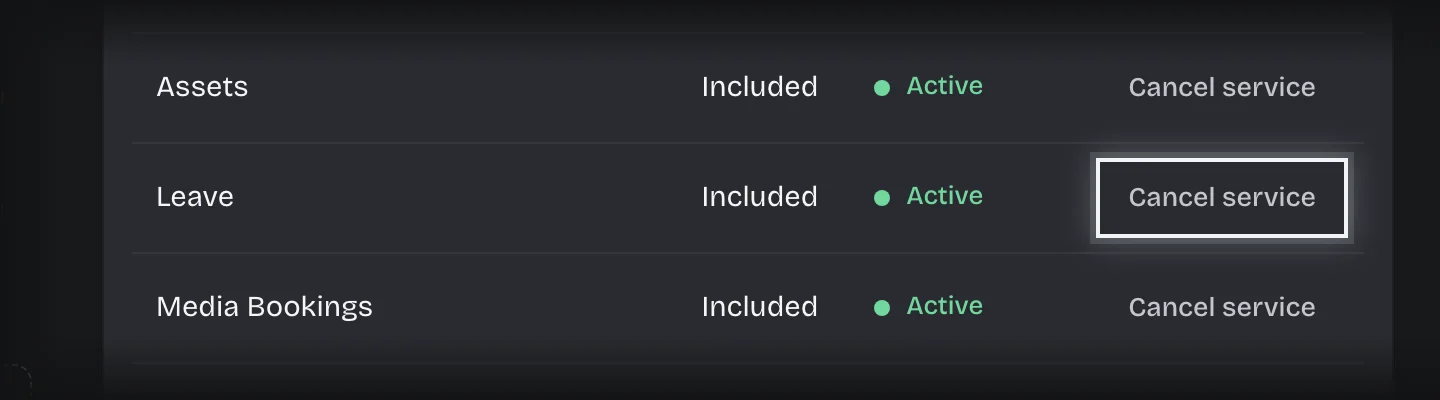
- Under Your services, press Cancel service on the service.
- Read what happens: when it stops working, how long it stays readable, and how many requests are still in progress.
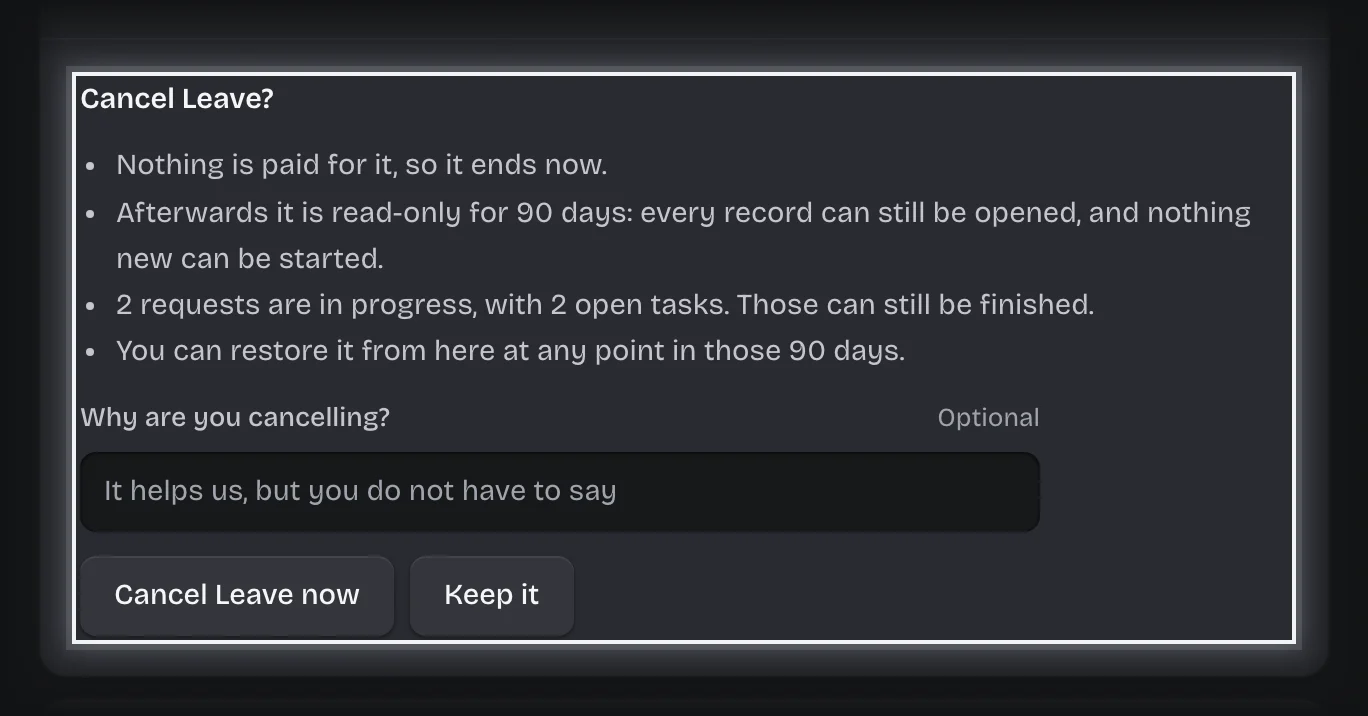
- Type a reason under Why are you cancelling? if you want to give one.
- Press Cancel at the end of the period, or Cancel followed by the service name and now (for example Cancel Leave now) if nothing is paid for it.
What you will see
- The service marked with the day it ends. Until then it works as normal.
- After it ends, it is read-only for 90 days: records can be opened, nothing new can start. Requests in progress can still be finished.
- When the last service you pay for ends, the whole workspace is cancelled and is deleted 30 days later. See What happens when you cancel.
Common problems
- You changed your mind. Press Keep it on the service before the day it ends. This costs nothing.
- The service has already ended. Press Restore, or Resubscribe if it is paid for.