Each product addresses its approvals and forms to roles, such as Line manager or Sales manager. A product brings the roles it needs; you can rename them to your own words. You can also define roles of your own.
Steps
- Open Manage > Roles. It opens on Structure: each role under the one it reports to, with who holds it. Choose a service under Chain of command for to light the roles that act in it.
- Further down, check What your services ask for. It lists each role your services address, the steps that ask for it, and how many people hold it.
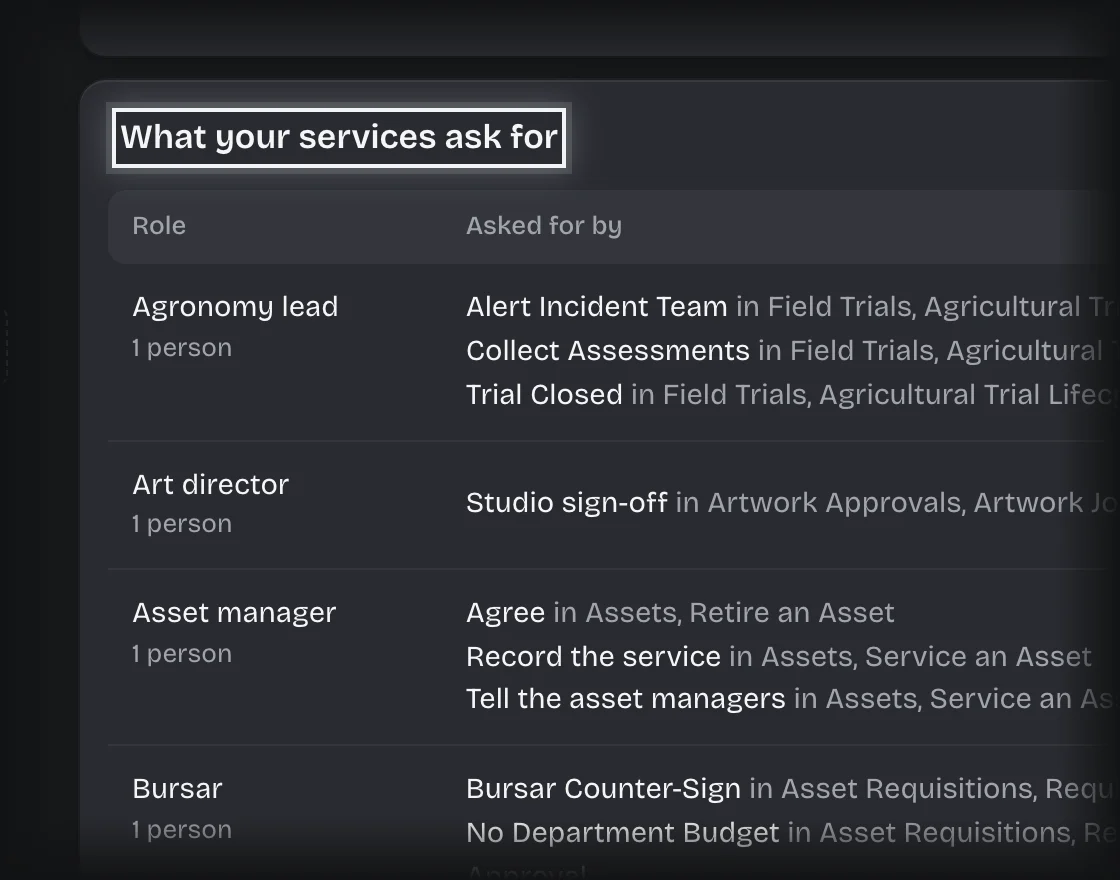
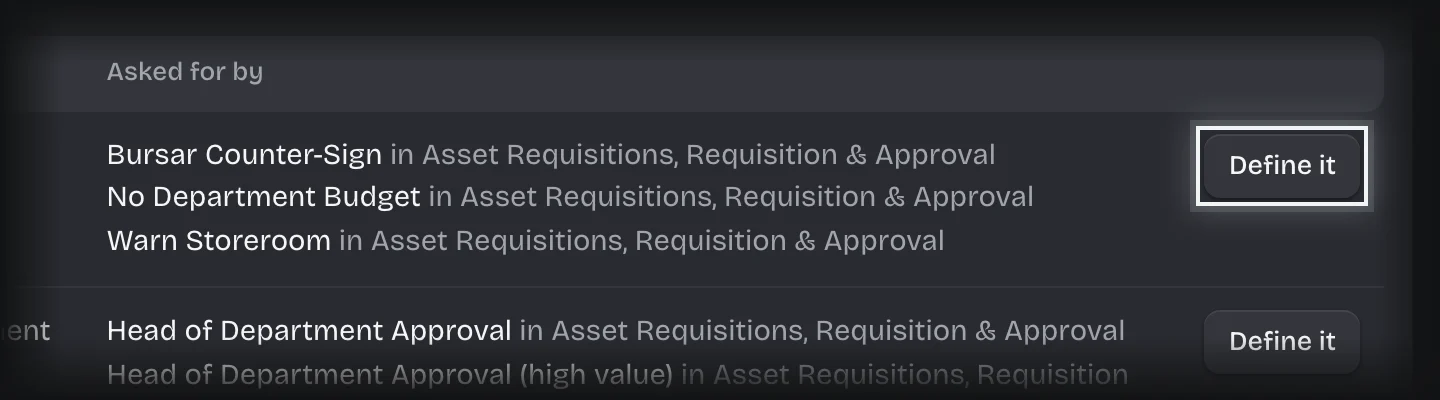
- For a role marked Not defined, press Define it, check the Name, and press Add role.
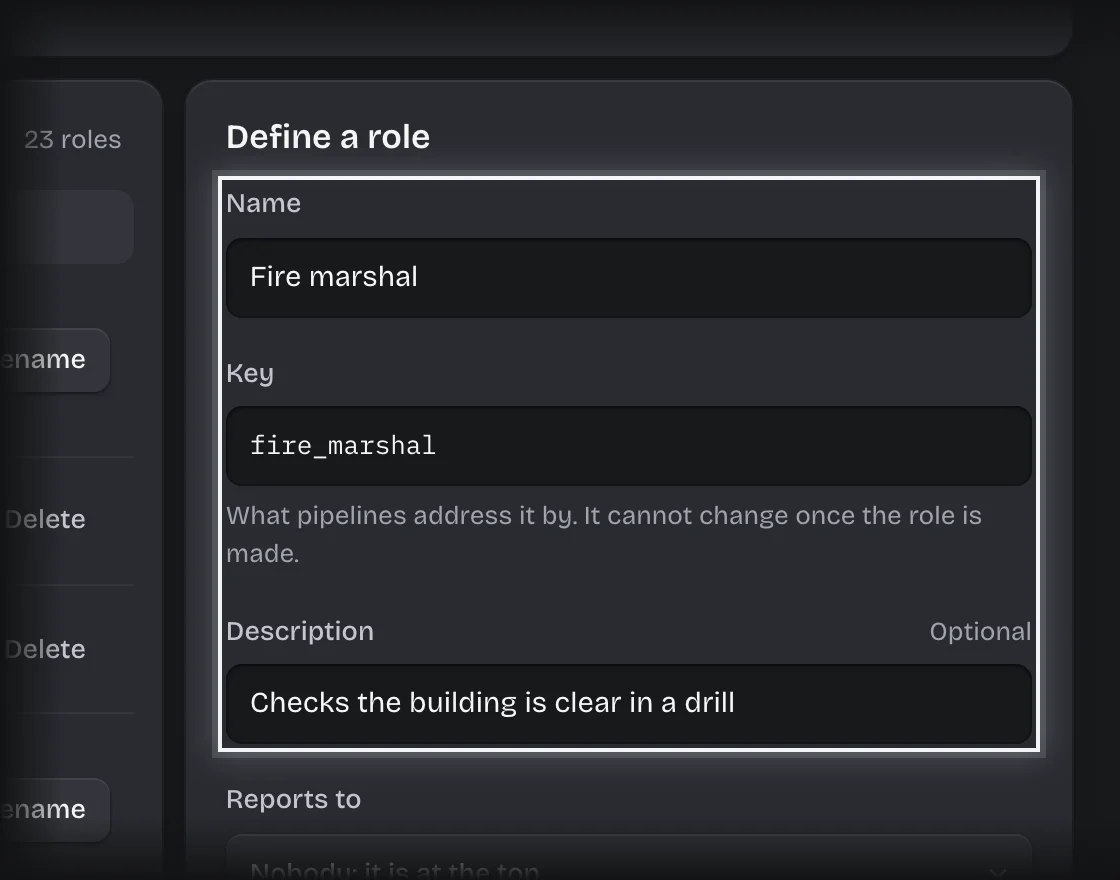
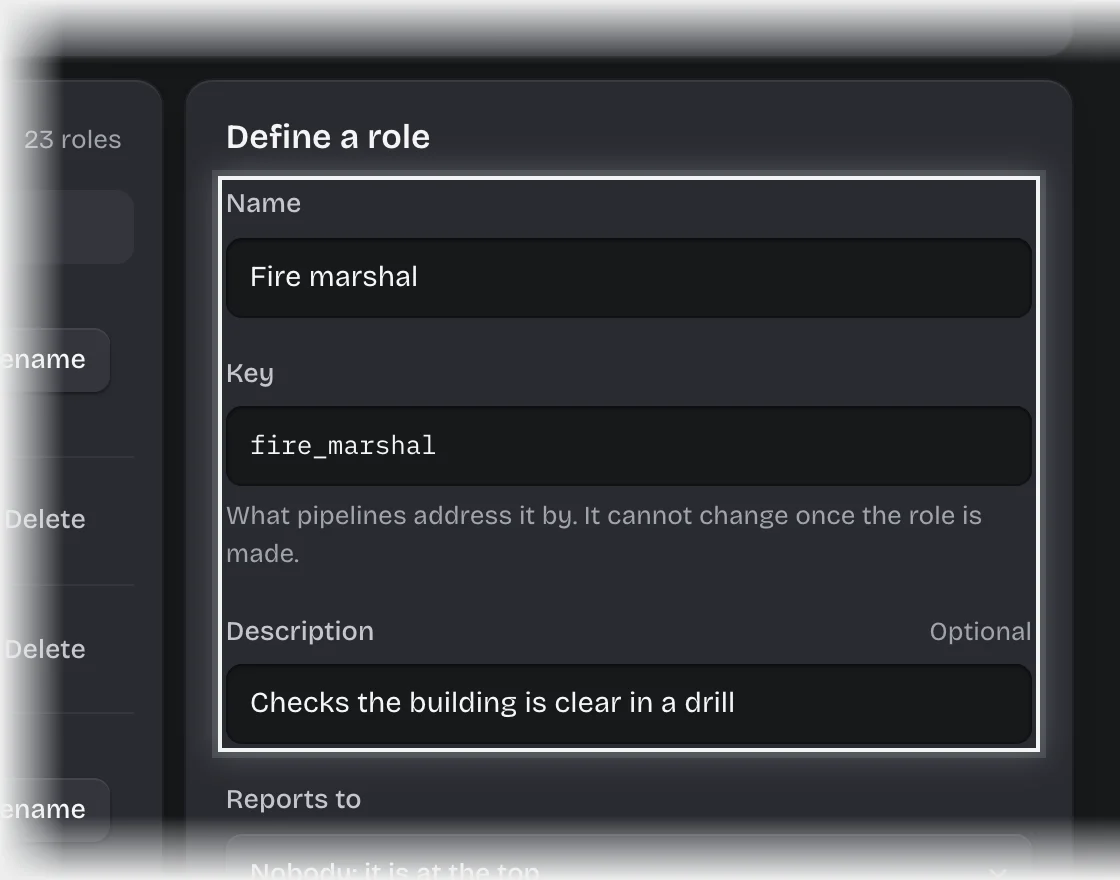
- To add a role of your own, type a Name under Define a role. The Key fills itself in. Add a Description if you want, choose who it Reports to, and press Add role.
- Open Manage > People, press a person’s row, tick the role under Roles, and press Save changes. Repeat for each person who holds it.
To rename a role or move it in the structure, press Rename in the Roles list, or Move or rename on its place in Structure. Change the Name or Reports to in the form beside it, and press Save changes.
What you will see
- Each role in Structure, under the role it reports to.
- Each role in the Roles list with its key, its description and how many people hold it.
- A role a product brought carries a tag with the product’s pack name.
Common problems
- “Nobody holds it, and a step asks for it.” Requests reach that step and find nobody. Give the role to at least one person.
- No Delete button on a role. A role a product brought cannot be deleted, because that product’s steps address it. You can rename it.
- The key cannot be changed. Steps address a role by its key, so it is fixed when the role is made. The name is yours to change.
- Deleting a role takes it from everyone who holds it. The screen asks you to confirm.
- Changing someone’s roles does not move work already waiting. An approval keeps the people it was addressed to when it was raised.